Profile pictures are the digital calling cards of the gaming world. In Warzone, where squads come together across Discord servers, Twitter feeds, and in-game lobbies, your PFP is often the first impression you make. It’s how teammates remember you, how rivals recognize you, and how you represent your style outside the actual firefight.
Whether you’re repping your favorite operator, flexing a custom loadout design, or going with abstract minimalist vibes, a solid Warzone PFP sets the tone. This guide breaks down everything you need to know: where to find high-quality profile pictures, how to create your own from scratch, popular styles dominating 2026, and the technical details that ensure your image looks sharp on every platform.
Key Takeaways
- A Warzone PFP serves as your visual identity in gaming communities, helping teammates recognize you and establish your personal brand across Discord, Twitter, and in-game lobbies.
- High-quality Warzone profile pictures can be sourced from official Call of Duty assets, fan art communities like DeviantArt and ArtStation, or created using tools like Photoshop, GIMP, or AI image generators.
- Effective Warzone PFPs prioritize clarity and bold composition over intricate details, with images starting at 1024x1024px resolution and important elements kept centered for circular platform displays.
- Popular Warzone PFP styles include operator-based designs (Ghost, Roze, Nolan), minimalist weapon artwork, and abstract or geometric designs that remain timeless as the game evolves.
- Using official Activision renders, in-game screenshots, and personal edits for your Warzone PFP avoids copyright concerns, while fan art requires permission from the artist before use.
- Test your Warzone profile picture across multiple platforms in both light and dark modes to ensure it remains recognizable and visually striking at small thumbnail sizes.
What Is a Warzone PFP and Why Does It Matter?
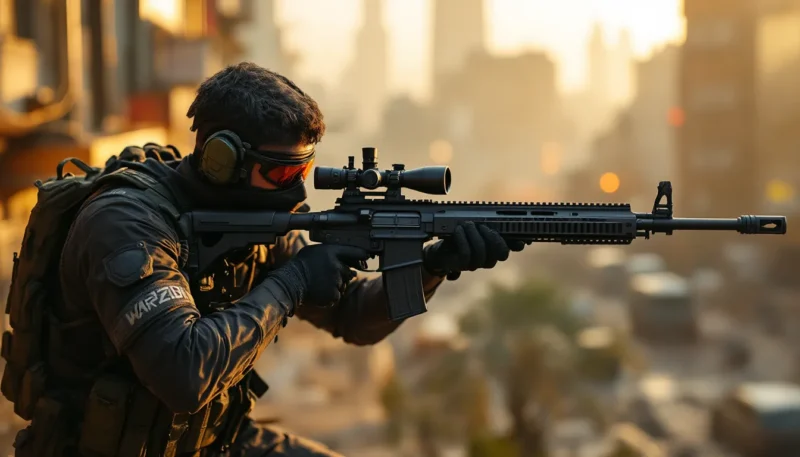
A Warzone PFP (profile picture) is any image a player uses to represent themselves on gaming platforms, social media, or community sites, specifically featuring Call of Duty: Warzone imagery, characters, or themes. It could be an operator like Nolan or Valeria, weapon artwork, in-game screenshots, or fan-created designs tied to Warzone’s universe.
Why does it matter? Simple: identity and community.
In a game where voice comms and split-second decisions define your experience, your PFP becomes visual shorthand. Squadmates spot your icon in party invites. Stream viewers associate your profile with clutch plays or memorable moments. When you’re active in Warzone communities, your PFP is your brand.
The Role of Profile Pictures in Gaming Communities
Gaming communities thrive on recognition. In Discord servers dedicated to Warzone scrims or ranked play, hundreds of players cycle through channels daily. A unique, memorable PFP helps you stand out in the chaos.
Profile pictures also signal allegiance and taste. Rolling with a classic Ghost PFP? You’re probably old-school MW2 nostalgia. Sporting a minimalist weapon silhouette? Clean, competitive vibes. A meme-tier image pulled from one of the internet’s many Warzone memes? You’re here for laughs as much as wins.
Beyond personal branding, PFPs play a role in team cohesion. Clans and competitive squads sometimes adopt matching or themed profile pictures to project unity during tournaments or when posting montage content. It’s a small detail, but in tight-knit communities, these touches matter.
Best Sources to Find Warzone Profile Pictures
Finding the right Warzone PFP is half discovery, half curation. Here’s where to look for images that balance quality, uniqueness, and community respect.
Official Call of Duty and Warzone Assets
The official Call of Duty website and Activision’s press kits occasionally release high-res operator renders, weapon art, and seasonal promotional images. These assets are polished, clean, and safe from copyright drama if you’re using them for personal profile pictures.
In-game screenshots also work well. Fire up Warzone, head to the Operators menu, and use your console or PC screenshot function to grab a clean image of your main. PS5 and Xbox Series X/S capture at 4K, which gives you tons of resolution to crop and tweak.
Call of Duty’s social media channels (Twitter, Instagram) frequently post promotional art during new season launches or events. These are goldmines for PFP material, just make sure you’re cropping and resizing appropriately.
Fan Art Communities and DeviantArt
Fan artists have been creating Warzone-inspired artwork since Verdansk dropped in 2020, and the library has only grown richer. DeviantArt hosts thousands of Warzone illustrations, ranging from hyper-realistic operator portraits to stylized, comic-book interpretations.
When sourcing fan art, always check the artist’s terms. Many creators are fine with personal use (like profile pictures) but prohibit commercial application. If you’re planning to use someone’s work, drop a comment or message asking permission, it’s good etiquette and often appreciated.
ArtStation is another excellent hub for professional-grade game art. Search “Warzone” or “Call of Duty,” and you’ll find concept art, 3D renders, and digital paintings that make killer PFPs. Some artists even offer free downloads for personal use.
Gaming PFP Generator Websites
Several websites specialize in gaming profile picture creation, offering templates, filters, and quick customization tools. Sites like Placeit and Canva have gaming-themed PFP templates where you can drop in Warzone imagery, add text overlays, or apply effects.
PFPMaker and similar tools let you upload an image and automatically generate cropped, formatted versions optimized for Discord, Twitter, and other platforms. They handle the tedious resizing and ensure your image doesn’t get weirdly stretched or pixelated.
For a more tailored approach, some Warzone content creators maintain Google Drive folders or Dropbox links with PFP packs, usually shared on Reddit or Discord. These collections often include operator headshots, weapon icons, and themed designs that the community can freely use.
How to Create Your Own Custom Warzone PFP
If you want something truly unique, building your own Warzone PFP gives you total creative control. Here’s how to do it across different skill levels and toolsets.
Using Photoshop and GIMP for Professional Results
Adobe Photoshop remains the gold standard for image editing. If you’ve got access and some basic layer knowledge, you can craft a PFP that rivals official promo art.
Start by sourcing a high-res base image, either an in-game screenshot, official render, or a piece of fan art (with permission). Open it in Photoshop and crop to a square (1:1 ratio). Most platforms display PFPs as circles, so keep important elements centered.
Use adjustment layers to tweak contrast, saturation, and sharpness. A slight vignette or color grade can give your image a signature look. Add text (your gamertag, clan tag) using bold, readable fonts, avoid overly stylized typefaces that become illegible at small sizes.
GIMP is the free, open-source alternative to Photoshop and offers nearly identical functionality. The learning curve is slightly steeper, but tutorials abound on YouTube. GIMP handles layers, filters, and text just as capably, making it perfect for gamers on a budget.
Pro tip: Save your final image as a PNG to preserve transparency and avoid compression artifacts. Export at 1024x1024px or higher, platforms will downscale, but starting large ensures quality.
Mobile Apps for Quick PFP Creation
Not everyone has time to fire up a desktop editor. Mobile apps like PicsArt, Adobe Express, and Snapseed let you create solid PFPs directly from your phone.
PicsArt offers gaming-themed stickers, filters, and effects. You can overlay weapon images, add glitch effects, or apply neon color schemes popular in Warzone’s aesthetic. The app’s “cutout” tool is excellent for isolating operators from backgrounds.
Snapseed excels at fine-tuning. Use the selective adjust tool to brighten faces or sharpen details. The HDR filter can give screenshots a punchy, poster-like quality that pops in small profile thumbnails.
Canva’s mobile app is another winner. Search “gaming profile picture” in the template library, swap in your Warzone images, tweak colors, and export. It’s fast, intuitive, and doesn’t require design experience.
AI-Powered Tools for Warzone Profile Pictures
AI image generation exploded in 2023-2024, and by 2026, tools like MidJourney, DALL·E, and Stable Diffusion have become go-to resources for custom PFPs.
You can prompt these tools with phrases like “tactical operator in Warzone art style, dark background, cinematic lighting” and get surprisingly strong results. Some players mix AI-generated backgrounds with in-game operator screenshots for hybrid designs.
Lensa AI and Fotor’s AI avatar generator offer gaming-specific styles. Upload a photo (or an existing Warzone image), select a style like “cyberpunk soldier” or “tactical realism,” and the AI renders variations. Results vary, but when they hit, they’re unique and eye-catching.
Keep in mind: AI art is a hot-button topic in creative communities. If you’re using AI-generated images in public or competitive contexts, be transparent about it, some communities have guidelines around AI usage.
Popular Warzone PFP Styles and Themes
Warzone PFPs fall into recognizable categories, each with its own vibe and appeal. Here’s what’s trending in 2026.
Operator and Character-Based PFPs
Operators are the backbone of Warzone identity. Characters like Ghost, Roze, Nolan, and König are massively popular PFP choices, each carrying different connotations.
Ghost is the perennial favorite, iconic skull balaclava, mysterious backstory, MW2 legacy. If you’re running a Ghost PFP, you’re signaling loyalty to the franchise’s roots.
Roze became infamous during the Verdansk era for her pay-to-win skin. A Roze PFP in 2026 is either ironic nostalgia or a flex on how sweaty you were back in the day.
Newer operators like Nolan and Valeria appeal to players invested in Warzone’s evolving narrative. Using a current-season operator shows you’re active and engaged with the latest content.
Some players go deeper, using lesser-known operators or Battle Pass skins to stand out. If everyone’s rocking Ghost, a well-cropped Gus or Hutch PFP makes you memorable.
Weapon and Loadout Artwork
Weapon-focused PFPs appeal to the min-max crowd. A clean render of the RAM-9, SVA 545, or Holger 26 signals that you care about the meta and probably have optimized loadouts ready to go.
These images work especially well when paired with minimal backgrounds, black, gradient, or subtle textures. The weapon becomes the focal point, and at thumbnail size, the silhouette is instantly recognizable.
Some creators overlay weapon stats or attachment icons for extra flair. It’s a niche aesthetic, but if you’re deep into Warzone’s gunsmith mechanics, it fits.
Loadout art, showing a full kit with primary, secondary, perks, and equipment, also has its fans. These are less common but highly effective for content creators who want to showcase their signature playstyle.
Minimalist and Abstract Designs
Minimalism is huge in 2026. Clean lines, flat colors, single-icon designs, less is more.
Think: a simple Warzone logo on a dark background, a stylized gas mask icon, or a geometric interpretation of the Warzone map. These PFPs are professional, versatile, and age well even as the game evolves.
Abstract designs, glitch effects, pixelated art, vaporwave aesthetics, also have a strong following. They’re less directly tied to Warzone’s visuals but capture the game’s chaotic, high-stakes energy.
Monochrome PFPs (black and white or single-color tints) are another popular branch of minimalism. They’re clean, easy to recognize, and look sharp across any platform’s UI.
Best Practices for Choosing Your Warzone Profile Picture
A great PFP isn’t just visually appealing, it’s also technically sound and strategically chosen. Here’s how to make sure your image works everywhere.
Image Resolution and Format Requirements
Most platforms display profile pictures at small sizes, often 128x128px or smaller in certain contexts. This means detail gets lost. Prioritize bold, simple compositions over intricate designs.
Start with a minimum resolution of 1024x1024px. Platforms like Discord and Twitter will downscale, but uploading high-res ensures the platform’s algorithm has data to work with. Low-res uploads get crunchy and pixelated fast.
PNG format is ideal for PFPs with transparency or sharp edges. JPEG works if file size is a concern, but avoid heavy compression, anything below 90% quality introduces visible artifacts.
Keep the important elements centered and away from edges. Most platforms crop PFPs into circles, so corners get cut off. Test your image by cropping it to a circle in an editor before uploading.
Color contrast matters. If your PFP is mostly dark and you’re uploading it to a dark-mode interface, it’ll blend in. Add a subtle border or bright accent to ensure it pops.
Ensuring Your PFP Stands Out Across Platforms
Your PFP lives in different environments: Discord servers, Twitter feeds, Reddit threads, gaming forums. Each platform has slightly different display sizes and background colors.
Test your PFP in context. Upload it to Discord, check how it looks in light and dark mode. Post it on Twitter and see if it’s recognizable in a crowded reply thread. If it’s hard to identify at a glance, simplify.
Consistency helps with branding. If you’re active across multiple platforms, using the same PFP everywhere makes you easier to recognize. Content creators and competitive players especially benefit from this.
Avoid overly detailed text. Your gamertag might seem like a good addition, but at 64x64px, it becomes illegible. If you want text, keep it to 2-3 large characters max.
Color psychology plays a role too. Bright, saturated colors (reds, blues, neons) grab attention. Muted tones feel more mature and professional. Choose based on the vibe you want to project.
Where to Use Your Warzone PFP
Once you’ve locked in your PFP, it’s time to deploy it. Here’s where Warzone players typically showcase their profile pictures.
Discord, Twitter, and Social Media Platforms
Discord is ground zero for Warzone communities. Whether you’re in a casual squad server or a competitive scrim hub, your PFP is visible in every message, voice channel, and member list. A strong Discord PFP makes you recognizable and approachable when inviting friends to party or joining new teams.
Many Warzone Discord servers also have roles and rank systems. A polished PFP paired with a high rank or verified role signals credibility.
Twitter (or X, depending on how you want to call it in 2026) remains a hotspot for Warzone discourse. Pro players, content creators, and community members share clips, argue about the meta, and hype new updates. Your PFP becomes part of your digital handshake in replies and quote tweets.
Instagram and TikTok are increasingly popular for Warzone content, especially short-form clips and highlight reels. A clean PFP helps your content get recognized as viewers scroll.
Don’t sleep on YouTube. If you’re uploading gameplay, tutorials, or commentary, your channel PFP is the thumbnail viewers see in comments and subscriptions. Warzone-themed PFPs reinforce your niche and help build channel identity.
Gaming Forums and Community Sites
Old-school forums like Reddit (r/CODWarzone, r/Warzone2) and dedicated sites like those covering competitive strategies still thrive. Your profile picture appears next to every post and comment, and active, helpful users become recognized by their PFPs.
CharlieIntel, Dexerto, and similar news sites often have comment sections where engaged players debate updates. Platforms covering the latest pro player settings or esports tournaments also feature user profiles where your PFP gets visibility.
Some clan and team websites let members upload PFPs for rosters and leaderboards. If you’re part of a competitive squad, matching or themed PFPs can strengthen team identity during events.
Steam, Battle.net, and Xbox/PlayStation Network profiles also display your PFP when you’re in lobbies or friend lists. Though Warzone is primarily on Battle.net for PC, crossplay means your profile appears across ecosystems.
Copyright and Usage Guidelines for Warzone Images
Using Warzone imagery for your PFP is generally fine for personal use, but there are nuances worth understanding.
Activision and Call of Duty assets fall under copyright protection. But, using official renders, screenshots, or promotional art as a personal profile picture is typically considered fair use or tacitly allowed. Activision isn’t coming after individual gamers for using Ghost as a Discord avatar.
That said, commercial use is a different story. If you’re selling merch, running ads, or monetizing content that prominently features copyrighted Warzone images without permission, you’re on shakier legal ground.
Fan art is where things get more specific. Artists retain copyright over their creations, even if they depict Warzone characters. Before using someone’s art as your PFP, check their profile or description for usage terms. Many artists explicitly allow personal use but ask for credit or a heads-up.
If an artist says “no reposting” or “commission only,” respect that. The Warzone art community is tight-knit, and word spreads fast if someone’s work is used without permission.
AI-generated images occupy a legal gray area in 2026. Most AI tools allow personal use of generated images, but some prohibit commercial application. Read the terms of service for whatever tool you use.
When in doubt, create your own. In-game screenshots, personal edits, or original designs sidestep all copyright concerns and give you something genuinely unique.
Top Warzone PFP Ideas for Different Player Types
Not sure where to start? Here are PFP ideas tailored to different Warzone playstyles and personalities.
For the Nostalgia Purist:
Classic Modern Warfare 2 Ghost render, Captain Price from the original trilogy, or Verdansk sunset screenshots. These signal respect for the franchise’s history.
For the Sweat:
Minimalist weapon icons (meta guns only), Roze skin throwbacks, or clean operator headshots with high-contrast lighting. Bonus points if it’s a current-season skin that shows you’re grinding.
For the Casual:
Meme-tier images, dog execution finisher stills, or goofy operator poses. Something that says you’re here for fun, not just K/D. Competitive communities discussing DMZ squad sizes often appreciate lighter vibes.
For the Content Creator:
Custom logo incorporating Warzone elements, stylized self-portrait in tactical gear, or branded design with your channel name. Consistency across platforms is key.
For the Competitor:
Team logo, clan colors, or sponsor branding. Pro and semi-pro players often use team-issued PFPs for tournaments and scrims. Communities focused on adjusting ping colors for competitive advantages also value clean, professional imagery.
For the Lore Nerd:
Images tied to Warzone’s evolving story, Al Mazrah landmarks, Konni Group symbolism, or character art from the campaign. These PFPs spark conversation with other lore enthusiasts.
For the Minimalist:
Single-color Warzone logo, geometric gas mask, or abstract map outlines. Clean, timeless, and works everywhere.
For the Weapon Enthusiast:
Your favorite gun in blueprint form, attachment close-ups, or custom weapon art. Great for players who live in the Gunsmith menu and have opinions on barrel lengths. Players seeking help on mechanics like using PDS often appreciate detail-oriented design choices.
Pick what resonates with your playstyle, and don’t be afraid to switch it up seasonally. PFPs aren’t permanent, they’re part of how you express where you’re at in the game.
Conclusion
Your Warzone PFP is more than decoration, it’s how you show up in the community. Whether you’re pulling high-res official art, commissioning custom fan work, or building something from scratch in Photoshop, the right profile picture makes you memorable.
Focus on quality over flash. A clean, well-composed image at proper resolution will always outperform a cluttered, low-res mess. Test it across platforms, make sure it reads well at small sizes, and choose something that genuinely represents your vibe.
The Warzone landscape shifts with every season, but a solid PFP stays relevant. Invest a little time in finding or creating yours, and you’ll have a profile picture that stands out in Discord servers, Twitter threads, and every lobby you drop into.
About The Author