Your Warzone video could have the sickest 30-bomb gameplay ever recorded, but if the thumbnail looks like it was slapped together in MS Paint during a loading screen, nobody’s clicking. In 2026, the YouTube algorithm and social feeds are more ruthless than a full squad push in the final circle, your thumbnail has maybe 1.5 seconds to grab attention before viewers scroll past.
The competition isn’t just other Warzone creators anymore. You’re fighting for eyeballs against every piece of content on the platform, from Mr. Beast’s latest spectacle to cat videos. That tiny rectangle, 1280×720 pixels, is your entire marketing department, sales pitch, and first impression rolled into one. Get it right, and you’ll see your CTR climb. Get it wrong, and even the algorithm won’t save you.
This guide breaks down exactly how to craft Warzone thumbnails that stop the scroll, from composition fundamentals to advanced techniques used by creators pulling millions of views. Whether you’re editing your first thumbnail or looking to level up your channel’s visual game, you’ll find actionable tactics that work in 2026’s crowded landscape.
Key Takeaways
- A high-quality Warzone thumbnail has just 1.5 seconds to grab viewer attention and is responsible for 78% of click-through decisions, making it as critical as video content itself.
- Effective Warzone thumbnails use the rule of thirds, limit text to 3-5 words, apply bold sans-serif fonts with contrasting outlines, and feature extreme facial expressions on operator characters to stand out at mobile-screen sizes.
- High-contrast colors (bright reds, electric blues, neon yellows) that pop against in-game backgrounds, combined with limited palettes of three colors maximum, significantly improve visibility and engagement on compressed thumbnail displays.
- Test thumbnail variations systematically after upload by changing one element at a time and tracking CTR performance over 24-48 hours, then swap underperforming designs early to prevent the algorithm from burying your content.
- Maintain consistent branding through recurring color schemes, fonts, logo placement, and content-type-specific templates across all uploads to build instant channel recognition in crowded YouTube feeds.
- Avoid common mistakes like cluttered compositions, tiny text, generic screenshots without editing, inconsistent branding, and clickbait disconnects that damage viewer trust and channel growth long-term.
Why Your Warzone Thumbnail Matters More Than Ever
YouTube’s 2025 algorithm update put even more weight on initial click-through rates during the first hour after upload. If your thumbnail can’t convert impressions to clicks quickly, the platform assumes your content isn’t worth promoting, regardless of watch time or retention later. For gaming content specifically, YouTube reported that thumbnails account for 78% of the decision to click, with titles making up the remaining 22%.
Warzone content sits in one of the most saturated niches on the platform. At any given moment, thousands of creators are uploading highlights, loadout guides, and meta breakdowns. Your thumbnail isn’t just competing with other Warzone videos, it’s battling the entire gaming category plus whatever else a viewer might find interesting. That’s why generic gameplay screenshots with zero editing don’t cut it anymore.
The stakes get higher when you consider mobile viewing, which now represents over 65% of YouTube traffic. On a phone screen, your carefully crafted thumbnail shrinks to roughly the size of a postage stamp. Details vanish. Subtlety dies. Only bold, high-contrast designs with clear focal points survive the compression.
Beyond the algorithm, there’s the human psychology factor. Viewers make split-second judgments about content quality based purely on presentation. A polished thumbnail signals professionalism, effort, and, fairly or not, gameplay skill. It’s the visual equivalent of a pro player’s clean UI setup versus someone streaming with default HUD elements still enabled. First impressions stick, and in the attention economy, you don’t get a second chance.
Essential Elements of a High-Converting Warzone Thumbnail
Every successful Warzone thumbnail shares core DNA, elements that consistently drive clicks across channels of all sizes. Understanding these fundamentals is non-negotiable before experimenting with your own style.
Visual Composition and Color Psychology
The Rule of Thirds still applies, even in gaming thumbnails. Position your main focal point, usually an operator face, weapon, or explosive moment, along those imaginary grid lines rather than dead center. This creates natural visual tension that guides the eye through the frame.
Color contrast makes or breaks visibility. Warzone’s color palette skews toward muted earth tones, grays, and urban camouflage. That means your thumbnail elements need to pop against that background. Bright reds, electric blues, and neon yellows perform exceptionally well because they’re the opposite of in-game visuals. Many top creators incorporating weapon tier lists into their content use these high-saturation accent colors to make text and borders unmissable.
Avoid using more than three primary colors total. More creates visual chaos that looks amateurish, especially at thumbnail scale. Pick a dominant color for your main element, a secondary for text or borders, and a neutral for balance. Consistency across uploads helps build brand recognition, viewers start associating specific color schemes with your channel.
Depth and layering prevent the flat, boring look that kills engagement. Use drop shadows, outer glows, or subtle gradients to separate foreground elements from the background. This creates a quasi-3D effect that adds professional polish. The goal is making your thumbnail look like a movie poster, not a screenshot.
Text Overlays and Typography Best Practices
Less is always more with text. You’ve got maybe 3-5 words maximum before readability collapses on mobile screens. The thumbnail’s job is to create curiosity, not explain the entire video. Think “NEW META BROKEN” or “INSANE 1v5 CLUTCH,” not “This Loadout Changed Everything About How I Play Warzone.”
Font choice matters significantly. Thick, bold sans-serif fonts like Impact, Bebas Neue, or Montserrat Extra Bold work best because they maintain legibility when compressed. Avoid thin fonts, script fonts, or anything with fine details that disappear at small sizes. Many creators layer their text with thick stroke outlines (3-5 pixels) in contrasting colors, white text with black outlines or vice versa, to ensure readability against any background.
Text placement should never obscure the thumbnail’s main visual element. Top third or bottom third positioning works well, leaving the center for your operator face or action shot. Some creators use angled or slightly warped text for dynamic energy, but don’t overdo it, readability always trumps style.
Number and stat callouts perform exceptionally well. “47 KILLS,” “NEW,” “NERFED,” or “SEASON 3” immediately communicate specific, newsworthy information. The gaming audience responds to quantifiable data and timely information, which signals the content is current and relevant.
Character Positioning and Facial Expressions
Human faces trigger automatic attention responses in viewer brains. Thumbnails featuring operator faces with visible eyes and exaggerated expressions consistently outperform abstract designs or environment-only shots. The effect is even stronger when the character makes direct “eye contact” with viewers, looking straight at the camera rather than off to the side.
Expressions should be extreme. Neutral faces are forgettable. Anger, shock, excitement, or intensity reads clearly even at thumbnail scale. This is why so many gaming thumbnails feature operators with mouths open mid-yell or eyes widened dramatically. It feels over-the-top while editing, but it works.
Positioning matters as much as expression. Place the operator on the left or right third of the frame, angled slightly toward center. This creates directional flow that guides viewer eyes across the composition. Full-body shots rarely work because facial details get too small: tight crops from chest-up or even just the head and shoulders maintain impact.
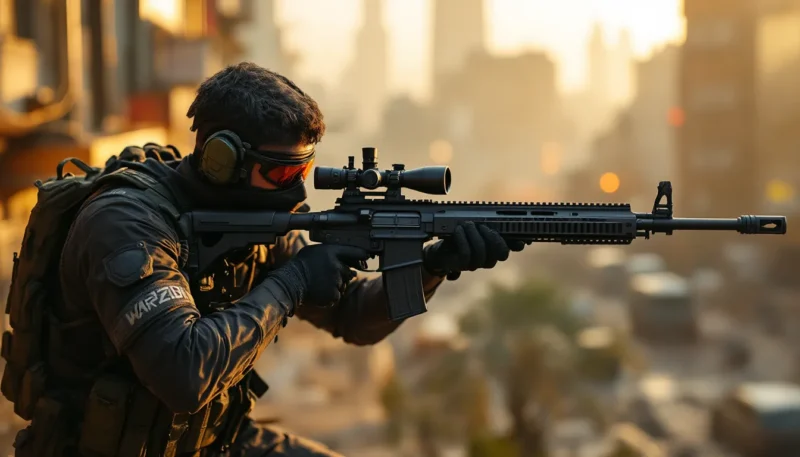
Weapon integration adds context. Having the operator holding or aiming the featured weapon connects the visual dots between character and content. The gun should be recognizable at thumbnail scale, iconic silhouettes like the MCW, SVA 545, or SOA Subverter read clearly even when compressed.
Best Tools and Software for Creating Warzone Thumbnails
The tools you choose directly impact workflow speed and design possibilities. The right software scales with your skill level and production needs.
Professional Options: Photoshop and Advanced Editors
Adobe Photoshop remains the industry standard for a reason. Layer management, adjustment layers, selection tools, and effects capabilities exceed what any competitor offers. The learning curve is steep, but mastering even basic Photoshop techniques unlocks professional-grade results. The 2026 version includes AI-powered background removal and object selection that work shockingly well with Warzone screenshots.
Key Photoshop techniques for thumbnails:
- Layer styles for text outlines, glows, and shadows
- Adjustment layers (Curves, Vibrance, Color Balance) for punchy color grading
- Blending modes (Overlay, Screen, Multiply) for integrating elements naturally
- Smart Objects for non-destructive scaling and editing
Photoshop costs $20.99/month on Adobe’s Photography Plan, which includes Lightroom. For creators serious about thumbnail quality, it’s worth the investment. The efficiency gains alone save hours over time.
Photopea deserves mention as a free, browser-based Photoshop alternative. The interface mimics Adobe’s layout almost perfectly, and it handles PSD files natively. Performance lags on complex projects, but for standard thumbnail work, it’s surprisingly capable. No download or subscription required, just open the site and start editing.
Affinity Photo offers a one-time purchase alternative at $69.99 with no subscription. The feature set rivals Photoshop for photo editing and composition work, though the plugin ecosystem is smaller. For creators who want professional tools without recurring costs, it’s the best option.
Beginner-Friendly Alternatives: Canva, Thumbnail Blaster, and More
Canva democratized graphic design with its drag-and-drop interface and template library. The free version handles basic thumbnail creation easily, while Canva Pro ($12.99/month) adds background removal, brand kits, and additional stock assets. The biggest advantage is speed, you can crank out decent thumbnails in under 10 minutes once you’ve built a template.
Canva’s limitations become apparent when you need precise control or advanced effects. The layer system is simplified, and customization options are more restricted than dedicated photo editors. It’s perfect for beginners or creators prioritizing speed over pixel-perfect design.
Thumbnail Blaster is Windows-only software designed specifically for YouTube thumbnails. It includes Warzone-specific templates, effect presets, and optimization features that export at perfect dimensions automatically. The $67 one-time purchase gives lifetime access, making it cost-effective for dedicated content creators. The interface feels dated compared to modern apps, but the gaming-focused features are convenient.
Free warzone thumbnail templates are scattered across the internet, with varying quality. Sites offering warzone thumbnail free downloads often provide PSD or PNG template packs that can jumpstart your design process. Just be cautious about copyright, if you’re monetizing content, ensure any templates or assets you use have proper licensing.
Mobile options like Pixlr and PicsArt work in a pinch, but editing precision suffers on smaller screens. They’re fine for quick fixes or posting from events, but serious thumbnail work demands desktop software.
The best advice? Start with free tools like Canva or Photopea while learning fundamentals. Once you’ve outgrown their limitations, you’ll know when you’re fighting the software instead of designing, invest in Photoshop or Affinity Photo. The tools matter less than understanding composition, color, and visual hierarchy.
Step-by-Step Guide to Designing Your First Warzone Thumbnail
Theory only goes so far. Here’s the practical workflow for creating a thumbnail from scratch, broken into manageable steps that work regardless of which software you’re using.
Selecting the Perfect Screenshot or Background
Start by capturing source material during gameplay. Use Warzone’s photo mode (accessed by pressing F2 on PC or via the pause menu on console) to grab clean screenshots without HUD elements. Photo mode lets you adjust camera angles, depth of field, and lighting post-round, giving you far better raw material than random gameplay captures.
Look for shots with strong lighting and clear subjects. Explosions, vehicle destruction, or operator close-ups during tense moments provide visual energy. Avoid cluttered backgrounds with too many competing elements, simplicity lets your added text and effects stand out.
Alternatively, use promotional art from Activision’s press kits or the Call of Duty website. These high-resolution operator renders and weapon images are technically fair use for commentary/review content, though always verify current copyright guidelines. They look significantly cleaner than in-game screenshots because they’re rendered at higher quality.
For backgrounds, consider abstract options: solid color gradients, geometric patterns, or blurred Verdansk/Rebirth Island landscapes. Sometimes simplicity beats visual complexity, especially when your thumbnail needs to focus attention on text or a specific element rather than scenery.
Resolution matters from the start. Set up your canvas at 1280×720 pixels (16:9 ratio) with 72 DPI. This matches YouTube’s thumbnail specifications exactly. Working at higher resolutions seems smart but creates unnecessarily large files that may fail YouTube’s 2MB size limit.
Adding Effects, Filters, and Visual Enhancement
Once your base layer is set, enhancement begins. Start with color grading to make the image pop. Increase saturation by 15-25% to compensate for compression and small display sizes. Boost contrast slightly to separate foreground from background. Many successful creators studying pro player settings apply similar enhancement techniques to their thumbnails for consistent visual impact.
Apply a subtle vignette, darkening the edges draws viewer attention toward the center. Keep it understated: heavy vignetting looks dated and amateurish.
Add your main elements: operator renders, weapon cutouts, or explosion effects. Use layer masks to blend them naturally into the scene. The goal is making added elements look like they belong in the composition, not pasted on top. Drop shadows and edge lighting help integrate objects convincingly.
Chromatic aberration and scan lines are trendy effects in 2026 gaming thumbnails, giving a slightly glitchy, high-tech aesthetic. Use sparingly, too much creates visual noise that hurts clarity. A touch of lens flare or light leaks can add cinematic quality if positioned deliberately.
Text comes last, layered above all other elements. Apply those thick stroke outlines discussed earlier, plus a subtle drop shadow for extra separation. Some creators add a semi-transparent colored bar behind text as a backing element, which ensures readability regardless of background complexity.
Optimizing for Different Platforms and Screen Sizes
YouTube thumbnails appear across wildly different contexts: desktop browsers, mobile apps, smart TVs, and embedded players. Your design needs to work everywhere.
Test your thumbnail at multiple sizes before finalizing. In your editing software, zoom way out or view it at 25% scale. If key elements become indistinguishable, they’ll fail on mobile. The “squint test” works too, blur your eyes while looking at the thumbnail. The main subject should still be obvious.
Avoid placing critical elements (text, faces) within 40 pixels of any edge. YouTube’s timestamp overlay appears in the bottom-right corner, potentially covering anything placed there. Some platforms crop thumbnails to square format for preview displays, so keep important content center-focused.
Export settings matter for file size and quality balance. JPEG format at 90% quality typically hits the sweet spot, high visual quality without approaching YouTube’s 2MB limit. PNG files look slightly better but often exceed size restrictions unless you’ve used minimal layers.
Color space should be sRGB for web display. Some editing software defaults to Adobe RGB or other profiles, which causes color shifts when uploaded. Convert to sRGB before exporting to ensure your carefully chosen colors appear correctly across all devices.
One often-overlooked optimization: save multiple versions. When working on Warzone Caldera content, some creators maintain separate thumbnail variants for YouTube, Twitter, and Instagram since each platform has different optimal dimensions and aspect ratios. It’s extra work, but maximum exposure across platforms justifies the effort for important videos.
Common Warzone Thumbnail Mistakes to Avoid
Even experienced creators fall into these traps. Recognizing them early saves time and prevents stagnant channel growth.
Cluttered compositions kill thumbnails faster than anything else. New creators often cram every cool element they can think of into one image: operators, weapons, explosions, vehicles, logos, and five different text callouts. The result is visual chaos where nothing stands out. Simplicity wins. One clear focal point, minimal text, strategic negative space.
Tiny text is the second most common mistake. What looks perfectly readable in your 27-inch editing monitor becomes microscopic ant tracks on a phone screen. If your text isn’t comfortably readable at actual thumbnail size during editing, it’s too small. When in doubt, go bigger.
Generic gameplay screenshots with zero editing say “low effort” louder than words. Viewers have seen thousands of random killcam shots. Unless your screenshot captures something genuinely unique, a 360 no-scope final kill, an insane vehicle explosion, it needs heavy editing to be thumbnail-worthy. Most successful creators use screenshots purely as background layers, not the main element.
Inconsistent branding across uploads confuses subscribers and hurts channel recognition. While every thumbnail doesn’t need identical layouts, maintaining consistent elements, color schemes, font choices, logo placement, or visual style, helps viewers instantly identify your content in crowded feeds. Think of your thumbnails as a cohesive visual series, not isolated pieces.
Clickbait disconnects destroy trust. Thumbnails promising “GAME BREAKING EXPLOIT” for a video about minor UI bugs or showing weapons that don’t appear in the video itself train viewers to avoid your content. The thumbnail should represent the video accurately while maximizing appeal. There’s a way to be compelling without being misleading.
Ignoring trends and meta shifts makes thumbnails feel stale. If you’re still using Verdansk imagery in Season 3 2026 when the map has been vaulted for years, viewers assume your content is outdated. Stay current with which maps, weapons, and operators are relevant in active game versions.
Over-reliance on templates without customization creates sameness. Those “warzone thumbnails” template packs are useful starting points, but fifty creators using identical layouts with different text looks lazy. Customize templates significantly or use them purely for learning composition principles before developing original designs.
Poor image quality from excessive compression or low-resolution sources makes thumbnails look unprofessional. Upscaling a 480p screenshot to 1280×720 doesn’t magically create detail, it just makes blur more obvious. Start with the highest quality source material possible, and avoid aggressive compression that creates visible artifacts.
Finally, not testing before publishing is amateur hour. Upload your thumbnail as private, view it on different devices, and check whether it grabs your own attention. If you’d scroll past it yourself, viewers definitely will.
Advanced Techniques Used by Top Warzone Content Creators
Once fundamentals are locked down, these advanced approaches separate growing channels from stagnant ones. They require more time and skill but deliver measurably better results.
Custom 3D Renders and Cinematic Effects
Top-tier creators aren’t just screenshotting gameplay anymore. Many use Blender or Cinema 4D to create custom 3D renders of operators and weapons. These tools let you pose characters in dynamic positions impossible to capture in-game, control lighting perfectly, and render at whatever resolution you need.
The workflow involves extracting 3D models from Warzone’s game files (legally gray area, check current guidelines) or recreating similar models from scratch. While this sounds insanely complex, pre-rigged Call of Duty operator models are available through various gaming asset communities. You pose them, light the scene, and render out a high-res image that becomes your thumbnail base.
The advantage is total creative control. Want an operator diving through an explosion while dual-wielding golden pistols? Build it in 3D. The result looks polished and unique because nobody else has that exact image.
Motion blur and particle effects add Hollywood-level cinematics. Photoshop’s motion blur filter can simulate action on static images, making operators look like they’re sprinting or weapons swinging into frame. Particle systems for muzzle flashes, shell casings, or debris sell the action moment more convincingly than clean screenshots.
Composite multiple game moments into single frames. Take the best operator expression from one match, the perfect explosion from another, and your favorite weapon from a third, then blend them into one cohesive thumbnail. This collage approach creates idealized versions of gameplay that accurately represent video content while maximizing visual appeal.
Some creators even use AI upscaling tools like Topaz Gigapixel to enhance screenshot quality, recovering detail lost to in-game compression. The difference is noticeable when you need extreme crops or zooms on specific elements.
Branding Consistency Across Your Channel
Established channels treat thumbnails as brand assets, not one-off designs. This strategic approach builds recognition and professional appearance.
Logo integration should be subtle but consistent. Place your channel logo in the same corner of every thumbnail, usually bottom-left or bottom-right. Keep it small enough that it doesn’t compete with main content but visible enough to mark the thumbnail as yours. Over time, this builds subconscious brand association.
Color palette consistency creates visual cohesion. Define 3-4 brand colors and use them as accents across all thumbnails. Channels with random color schemes in every upload look disorganized: channels with recognizable color patterns look professional. For guidance on maintaining visual consistency, many creators reference gaming setup tutorials that discuss branding across content platforms.
Template series work exceptionally well for recurring content types. If you produce weekly loadout videos, create a specific thumbnail layout just for those. If you do challenge runs, they get their own distinct style. Viewers start recognizing content types by thumbnail appearance before even reading titles.
Font consistency matters more than most realize. Pick 2-3 fonts maximum and stick with them. One for main headlines, one for supporting text, maybe one for numbers or special callouts. Constantly changing typography looks amateurish and fights against building visual identity.
Some channels include recurring mascot elements, a specific operator skin they always feature, or a stylized character that appears in every thumbnail. This creates mascot-style branding that’s instantly recognizable in feeds, similar to how traditional media uses consistent hosts or characters.
A/B Testing Your Thumbnails for Maximum Performance
Data beats guesswork every time. Systematic testing reveals what actually drives clicks for your specific audience rather than following generic best practices blindly.
YouTube allows thumbnail changes after upload, enabling A/B testing. The process is straightforward: publish with thumbnail A, let it run for 24-48 hours collecting data, then swap to thumbnail B and compare CTR performance. Tools like TubeBuddy and VidIQ include split-testing features that automate this process and provide statistical significance calculations.
Test one variable at a time for clear results. Don’t change the text, colors, and composition simultaneously, you won’t know which change caused any performance difference. One test cycle might compare facial expressions (neutral vs. excited). The next might test text placement (top vs. bottom). Gradual, methodical testing builds knowledge about what resonates with your viewers.
Key metrics to track:
- CTR (Click-Through Rate) – The primary success indicator. Even a 1% improvement meaningfully impacts views over time.
- Impressions – How many people saw the thumbnail. If this drops with a new thumbnail, the algorithm may be deprioritizing it.
- Average View Duration – Sometimes clickbait thumbnails increase CTR but decrease watch time when viewers feel misled. Balance is crucial.
Patterns emerge over multiple tests. You might discover your audience responds better to bright red text than yellow, or that weapon-focused thumbnails outperform operator faces for your content type. These insights compound into significant advantages.
Don’t ignore early performance signals. If a video’s CTR is tanking in the first few hours compared to your channel average, swap the thumbnail immediately. The algorithm’s initial push determines whether content gets promoted or buried. A thumbnail change can rescue a video from obscurity if caught early.
Some creators maintain thumbnail variations saved as templates, ready to deploy based on performance. When exploring team coordination features or other recurring topics, having tested layouts prepared in advance saves time and improves consistency.
Advanced approach: Create 3-5 thumbnail variations before upload, then poll your community (Discord, Twitter, etc.) about which they’d click. While not scientifically rigorous, audience input provides pre-upload directional guidance. The thumbnail that wins community votes usually, though not always, performs best algorithmically.
Staying Updated with Warzone Thumbnail Trends in 2026
Thumbnail aesthetics evolve as rapidly as the game’s meta. What crushed in 2024 looks dated now. Staying current requires active monitoring and willingness to adapt.
Study top performers in the Warzone space religiously. Check what’s working for creators like JGod, TrueGameData, WhosImmortal, and JGOD’s thumbnail designer. Notice patterns in their recent uploads versus older videos. Successful creators constantly refine their approach based on performance data, their thumbnails reveal what’s currently working.
Browse YouTube’s Warzone section weekly, specifically looking at which thumbnails appear in recommended feeds and trending sections. The algorithm surfaces designs that drive engagement. If you’re seeing certain visual patterns repeatedly in high-performing content, that’s a trend signal worth investigating.
Current 2026 trends include:
- Minimalist designs with tons of negative space, contrasting with the cluttered style from previous years
- Duotone color grading (images processed with just two colors) for striking, stylized looks
- Exaggerated 3D effects making elements appear to pop out of the frame
- Retro gaming aesthetics with VHS effects, scan lines, and 80s-inspired color palettes
- Dynamic text animations (though thumbnails are static, designs imply motion through blur and positioning)
The “shocked face” meta that dominated 2019-2022 has largely died out, replaced by more aggressive, confident expressions. Pointing at text or numbers remains effective but needs fresh execution to avoid feeling played out.
Seasonal content demands updated visuals. When discussing popular content like Warzone memes, thumbnails should reflect current in-jokes and community references rather than outdated references. New weapon launches, map updates, or operator bundles provide fresh visual assets to incorporate. Thumbnails featuring Season 3 content in Season 5 immediately signal outdated information.
Join creator communities on Discord, Reddit (r/YouTubeCreators, r/NewTubers), and Twitter. Thumbnail discussions happen constantly, with creators sharing techniques and getting feedback. These communities spot emerging trends early, before they’ve saturated mainstream content.
Follow graphic design trends beyond gaming. Thumbnail aesthetics borrow heavily from broader design culture: movie posters, advertising, social media graphics. Sites like Behance, Dribbble, and even Instagram’s design community reveal visual direction that eventually filters into gaming content.
Don’t blindly chase every trend. Some won’t fit your brand or content style. The goal is awareness of what’s current, then selectively adapting elements that enhance your specific visual identity. Consistency beats constantly reinventing your entire approach every month.
Technology changes matter too. As YouTube rolls out new features, higher resolution support, HDR thumbnails, or AI-assisted accessibility features, early adoption can provide temporary advantages before competitors catch up. Stay subscribed to YouTube’s Creator Insider channel and read platform update announcements.
Conclusion
Thumbnails aren’t secondary to your Warzone content, they are the content for most viewers. The vast majority will see your thumbnail and never watch the video. That little 1280×720 rectangle is your entire pitch, your brand representation, and your algorithm ticket rolled into one.
Mastering thumbnail creation isn’t about artistic talent or expensive software. It’s about understanding the fundamentals, contrast, simplicity, bold text, strong focal points, and systematically testing what works for your specific audience. Start with basic templates and free tools if needed, but commit to improving with every upload.
The creators dominating Warzone YouTube in 2026 aren’t necessarily the most skilled players. They’re often the ones who understand that content creation is 50% making good videos and 50% packaging them in ways people actually click. Your gameplay might be incredible, but if the thumbnail doesn’t communicate that in 1.5 seconds, it doesn’t matter.
Treat thumbnail design as a core skill worth developing, not an afterthought you knock out five minutes before uploading. The channels that do consistently outperform those that don’t. It’s that simple.
About The Author